You’re building a backend. Everything works. Code is clean. Tests are green.
Then, right before launch, someone asks:
"Can we turn this feature off if something goes wrong?"
You pause.
Because the feature is already wired into the system.
No toggle. No fallback.
The only way to "turn it off" is to remove the code or roll back the deployment.

When you deploy without feature flags and hope for the best.
This is what feature flags are made for.
In this post, we’ll walk through how to design your backend so it supports feature flags from the beginning. That way, you won’t have to scramble later.
What Are Feature Flags?
A feature flag (or feature toggle) is a way to control whether a specific feature in your app is enabled or disabled. You can do this without changing the code or redeploying.
Think of it as a light switch for features.
Common use cases:
- Hide unfinished features from users
- Deploy code to production without exposing it yet
- Release a feature gradually, starting with a small percentage of users
- Instantly disable a feature if it causes problems in production
Feature flags give you flexibility and control, especially when releasing new features.
Why Most People Add Flags Too Late
In many projects, flags only come up at the last minute:
- The feature is done and merged
- The release is scheduled
- Someone brings up the risk of breaking something
At that point, a developer quickly adds a flag like this:
if (process.env.NEW_FEATURE_ENABLED) {
  useNewLogic()
} else {
  useOldLogic()
}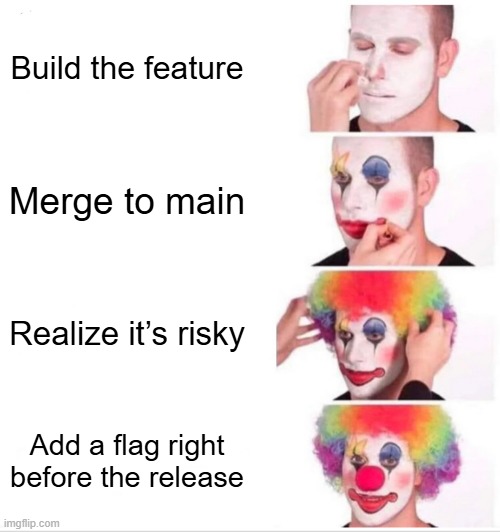
Adding a feature flag at the last minute like..
This might work once. But over time, you end up with flags scattered across the codebase, unclear behavior, and tests that don’t cover both paths.
It becomes harder to understand, harder to test, and much harder to clean up.
The Better Way: Plan for Feature Flags Early
If you think about feature flags from the beginning, they become easier to manage and safer to use.
The key idea is this: your system should support changing behavior at runtime, without becoming a mess.
Here’s how to do it.
1. Avoid Writing Conditional Logic Deep in Your Code
Beginner mistake: putting if statements for feature flags everywhere.
Example of a bad approach:
function processCheckout(data) {
  if (featureFlags.newCheckout) {
    return doNewCheckout(data)
  } else {
    return doOldCheckout(data)
  }
}
This seems fine at first. But when you do this in five different files, your logic gets harder to follow and maintain.
Better approach:
const checkoutHandler = featureFlags.newCheckout
  ? newCheckoutHandler
  : legacyCheckoutHandler

checkoutHandler.process(data)
Here, you choose the correct path once, and let the rest of the code run as usual. This keeps your core logic clean and easier to test.
2. Store Flags Outside the Code
If changing a flag requires editing code or redeploying, it defeats the purpose.
You need to be able to change flag values without touching the code.
Options:
A. Environment Variables
Simple and good for small projects.
const featureFlags = {
  newCheckout: process.env.NEW_CHECKOUT === 'true'
}
This works for global toggles, but still requires restarting the app to apply changes.
B. Config Service or Database
A more flexible way is to store flags in a database or config service and fetch them at runtime.
const featureFlags = await flagService.getFlagsForUser(userId)This allows you to update flags without restarting or redeploying.
C. Use a Feature Flag Tool
Tools like LaunchDarkly, Unleash, or Flagsmith give you:
- Dashboards to manage flags
- Rollout percentages
- User targeting
- Safe gradual deployments
You don't need these tools on day one, but it’s good to know they exist as your app grows.
3. Think Beyond Just On and Off
Many developers treat flags as simple true-or-false switches. But real-world use cases are more complex.
You might want to:
- Enable a feature for internal testers only
- Release a new flow to 5% of users, then 25%, then 100%
- Keep a feature hidden for regular users, but visible to admins
So, plan for three types of flags:
- Global flags (on or off for everyone)
- Per-user flags (beta testers, internal accounts)
- Rollout percentages (controlled exposure)
Even if you don’t need these on day one, designing your system with flexibility in mind will help in the long run.
4. Decide Behavior at the Entry Point
Don’t put flags deep inside your business logic.
Decide the behavior early, and pass the correct handler down.
Example in an API controller:
app.post('/checkout', (req, res) => {
  const service = featureFlags.newCheckout
    ? newCheckoutService
    : legacyCheckoutService

  service.process(req.body)
    .then(result => res.send(result))
    .catch(error => res.status(500).send(error))
})
This makes it easy to switch behavior, without mixing flag logic into every layer.
5. Write Tests for Both Scenarios
Every feature flag creates two different paths in your code: when the flag is on and when it is off.
Each path needs to be tested. Otherwise, you risk missing bugs.
Name your tests clearly so it’s obvious what is being tested:
checkout_legacy_flow.test.jscheckout_new_flow.test.js
Avoid writing tests that depend on whatever the flag happens to be at the moment. Be explicit about the flag state in each test.
6. Clean Up Old Flags
Flags are meant to be temporary. Once a feature is fully released and stable, the flag should be removed.
If you keep flags forever, your codebase fills up with:
- Dead logic paths
- Old feature branches
- Confusing behavior
Set a rule: if a flag hasn’t changed in 30 days, either remove it or make the decision permanent.
This keeps your system clean and easier to maintain.
When to Use Feature Flags
Use flags when:
- You want to deploy code before exposing the feature
- You need to control who sees a feature
- You want to gradually roll something out
- You want the option to quickly disable a feature without redeploying
Avoid using flags for:
- Small, one-line UI tweaks
- Features that are never going to be turned off
- Code that only runs in development or staging
Use flags where it helps. Don’t use them just to follow a trend.
Final Thoughts
Feature flags are one of the most useful tools for managing risk while moving fast.
But they only work well when you plan for them.
Here’s a quick summary of what to keep in mind:
- Keep flag logic out of your core business code
- Decide the behavior early and delegate to the right code
- Store flags outside the code, so they can be updated at runtime
- Write tests for both flag states
- Clean up flags once they are no longer needed
Your code should be ready for change. Because change is constant.
When your backend is designed with flexibility in mind, you don’t just ship faster it makes you ship smarter.